
What are the main risks in project management?
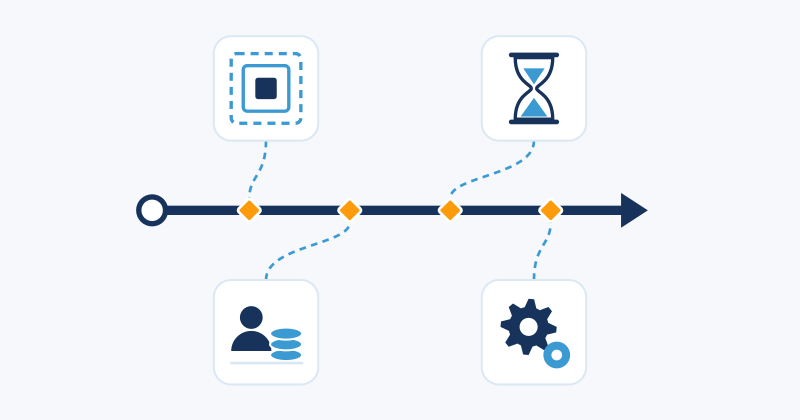
Six weeks before go-live, the client asks for one more report. The same week, a supplier moves a delivery back ten days, and the developer who knows the integration best accepts a job elsewhere. Any one of these would have been manageable. Together they push the launch back a month, and none came out of nowhere: each started where projects regularly run into trouble.
Most project risks come from a small number of sources. Once you know them, identifying risks stops depending on what the project manager happens to remember and becomes a check you can repeat as the project moves.
ISO 31000:2018 defines risk as the “effect of uncertainty on objectives”. PMI describes a project risk in the same spirit: an uncertain event or condition that, if it occurs, has a positive or negative effect on one or more project objectives.
Both definitions leave room for good news. A risk with a negative effect is a threat; one with a positive effect is an opportunity, such as a supplier able to deliver early. A risk is also different from an issue: a risk may or may not happen, while an issue has already happened and needs handling now.
The four main sources of project risk at a glance
| Source | Typical triggers | Early warning signs |
|---|---|---|
| Scope | Vague requirements, new client requests | Requests bypassing change control, open acceptance criteria |
| Planning and schedule | Optimistic estimates, dependencies, late suppliers | Tasks slipping against the baseline |
| Resources and budget | Budget cuts, cost overruns, staff turnover | Estimate drifting above budget, people booked on several projects |
| Technology | Unproven technology, integrations, security | Postponed proofs of concept, failing integration tests |
Scope: when the target moves
Scope risk appears when what the project must deliver is unclear or keeps changing. Requirements written in general terms leave room for different readings, and each stakeholder fills the gaps with their own expectations. As the product takes shape, the client asks for more, and the market can shift and make some requirements less relevant.
Change is normal in most projects. Scope risk grows when changes enter without anyone assessing their effect on dates and cost. A series of small additions, each accepted in a meeting or an email, is how scope creep usually happens. Watch for requests that reach the team without going through the project manager and for acceptance criteria still open after work has started.
The usual response is an agreed scope baseline and a change control process: every request is recorded, its effect on schedule and budget is estimated, and someone with authority approves or rejects it before the team starts on it.
Planning and schedule: when the dates were optimistic
A plan rests on estimates and assumptions, and some will turn out to be wrong. Durations are often estimated by people new to the task, and a delay on the critical path moves the finish date. Other causes are outside the team’s control: a supplier delivers late, an approval takes longer than expected, or an accident or regulatory change interrupts the work.
No plan can cover every scenario. What you can do is list the credible ones, estimate how likely each is and how far it would move dates and cost, and prepare a response for those that matter most. A schedule reserve absorbs part of the rest.
To spot slippage early, you need something to compare against. In ITM Platform you can save baselines with the dates, hours and costs of the approved plan, and the Gantt chart shows each task’s current dates next to its baseline, so you can see where the work is drifting. Project baselines explains how to create and compare them.
Resources and budget: when people or money change mid-project
The budget approved at the start may not last: a change in the company’s finances or market can bring cuts halfway through. When that happens, the project manager should not decide alone which work to drop. A budget cut is a scope decision: present the options, with what each removes and saves, and agree on one with the sponsor.
Costs can also grow from inside, when estimates prove low or purchases cost more than quoted. The sooner you see the gap between what was budgeted and what the work is likely to cost, the more options you keep. In ITM Platform, a project’s top-down budget sits next to the bottom-up estimate, calculated from the planned tasks, and the actual costs recorded through timesheets and invoices. Project budget describes how each value is built.
People change too. Someone leaves or is moved to a more urgent project, and newcomers need time to learn the context, so productivity drops for a while. People shared across projects depend on decisions taken elsewhere. Cross-training, documented handovers and an early agreement on the time shared people will give the project reduce this exposure.
Technology: what you build and what you build with
Technology risk covers both the technology the project delivers and the technology it depends on. New or unproven components may not perform as expected, and integrations with existing systems tend to reveal problems late, when the pieces are first connected. Performance, security and aging components in a long project belong here too, and so do the team’s own tools. Switching tools mid-project, or coordinating through email threads nobody can follow, costs time and information.
The usual responses are to test the uncertain parts early with a prototype, schedule integration testing well before the final weeks, keep a fallback for critical components and train the team before a new tool goes live.
From sources to a ranked list
The four sources tell you where to look. To find the specific risks in your project, run a structured identification with the people involved; a dozen techniques to identify risks describes twelve, from brainstorming to the Delphi technique.
Then assess each risk by probability and impact. Combining the two gives its risk level, and placing the risks on a probability and impact matrix shows which need attention first. Record the result in a risk register, with one entry per risk holding its source, level, owner and chosen response, and review it at each milestone and whenever a warning sign appears.
Plan a response for each threat and opportunity
The standard responses for threats are:
- Avoid: change the plan so the risk can no longer occur, for example by dropping an unproven component.
- Transfer: pass the impact to a third party through insurance or a fixed-price contract.
- Mitigate: reduce the probability or the impact, for example with a second supplier.
- Accept: take the risk on knowingly, with a contingency plan or reserve in case it occurs.
- Escalate: pass it to whoever owns it, such as the sponsor, when the response is beyond the project manager’s authority.
Opportunities have matching responses: exploit one to make sure it happens, share it with a partner better placed to capture it, or enhance its probability or effect. A client asking for a paid extension or a supplier offering an earlier delivery deserves a plan as much as a threat does.
A mitigation plan acts before the risk occurs, to make it less likely or less damaging; a contingency plan is prepared in advance and used only if it occurs. Each significant risk also needs an owner who watches its warning signs.
In ITM Platform, each risk has a record with a probability and an impact that set its level on a configurable risk matrix, plus a risk manager, a mitigation plan and a contingency plan. You can record the cost variation, schedule variation in days and change in scope the risk would cause, link the tasks it would affect and escalate it to an issue if it materializes. Risk and issue management walks through each field.
Next steps
- Try ITM Platform and record your project’s risks with their probability, impact, owner and response plans.
- 6 steps to control risk covers the full process, from planning to monitoring.
- Rate your first list with the free risk assessment matrix, which plots each risk by probability and impact.
Try ITM Platform free for 14 days
Start managing your projects, resources, and portfolios today.